Welcome to the Treehouse Community
Want to collaborate on code errors? Have bugs you need feedback on? Looking for an extra set of eyes on your latest project? Get support with fellow developers, designers, and programmers of all backgrounds and skill levels here with the Treehouse Community! While you're at it, check out some resources Treehouse students have shared here.
Looking to learn something new?
Treehouse offers a seven day free trial for new students. Get access to thousands of hours of content and join thousands of Treehouse students and alumni in the community today.
Start your free trial

Laurence kite
11,768 Pointsbootstrap 4 alpha6
How in bootstrap 4 the latest version do you align a navbar-brand link to the right hand side of its container..
I know bootstrap now uses flexbox to build navbars so floats and pulls do not seem to work
essentially I want to just "float" or move one item to right side..
<a class="navbar-brand hidden-xs-down" href="#">Presented by Treehouse</a>
this is from the course by Guil on treehouse.. but he is using the alpha4 version which is not current.
He uses pulll-sm-right but that no longer works?
8 Answers

Kevin Korte
28,149 PointsAre you looking for something like this? http://codepen.io/anon/pen/GWNNpB
Laurence kite
11,768 PointsThat wont load for me here on my mac , but I looked at it on my phone and it seems about right. I am not sure why it repeatedly attempts to load in chrome but works on the phone.
Is the brand link on the right ..
cheers
Laurence kite
11,768 PointsIt did finally load and looks good, by the way how did you get that to work in codepen as there is no css link to bootstraps CDN.. I am new to this lol..
Kevin Korte
28,149 PointsGreat, awesome.
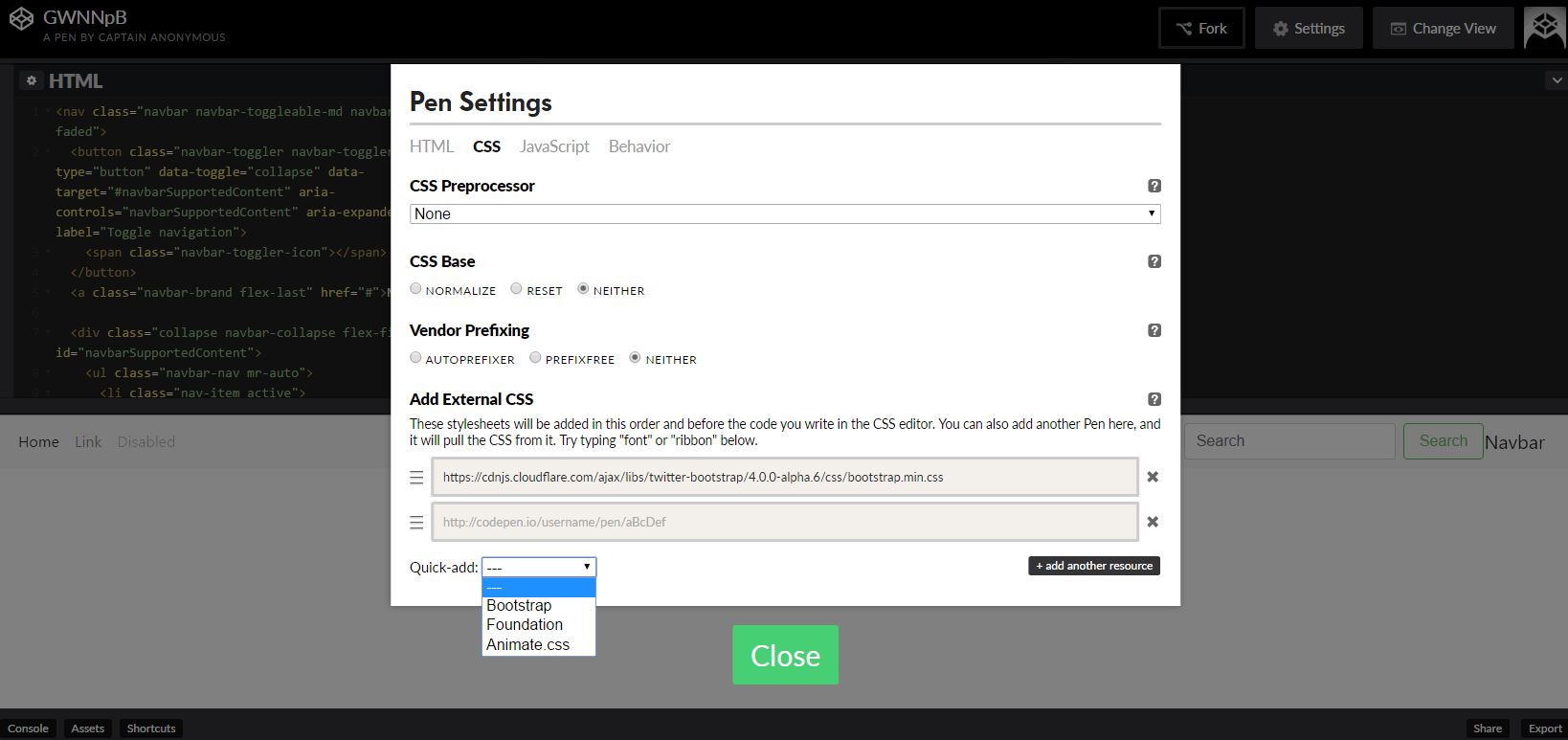
And to get it to work on Codepen, they have a handy "Quick Add" in the settings, but you could also paste the CDN link in the settings as well.
Laurence kite
11,768 PointsCheers sorry to pester you again, you have been very helpful but it must be a bootstrap issue have you noticed that when you resize the screen to the breakpoint that initiates the toggle action of the havbar to place the menu vertically down the page that as that happens its covers the content that sits below it. its seems to sometimes shift the content down on some break points and on others you can not scroll up enough to see it.. I know this is a problem for a fixed navbar but this is an easy fix.
Laurence kite
11,768 PointsCheers for help
Kevin Korte
28,149 PointsDo you get the second question solved?
Laurence kite
11,768 PointsNo not really but I think maybe the Toggle effect means it is meant to behave like that
Kevin Korte
28,149 PointsI just looked at the boostrap examples, it appears that on static menus the expanded nav pushes the content down, and on fixed menus it overlays the content, is that what you are seeing? That would make sense since fixed content is take out of the normal document flow, when it expanded it wouldn't have any way to push the content below it out of the way.
Laurence kite
11,768 Pointshi sorry for the delay, when you say static menus do you mean those that are fixed to the top of the page. I think that is what I meant yes...