Welcome to the Treehouse Community
Want to collaborate on code errors? Have bugs you need feedback on? Looking for an extra set of eyes on your latest project? Get support with fellow developers, designers, and programmers of all backgrounds and skill levels here with the Treehouse Community! While you're at it, check out some resources Treehouse students have shared here.
Looking to learn something new?
Treehouse offers a seven day free trial for new students. Get access to thousands of hours of content and join thousands of Treehouse students and alumni in the community today.
Start your free trial

Dylan Merritt
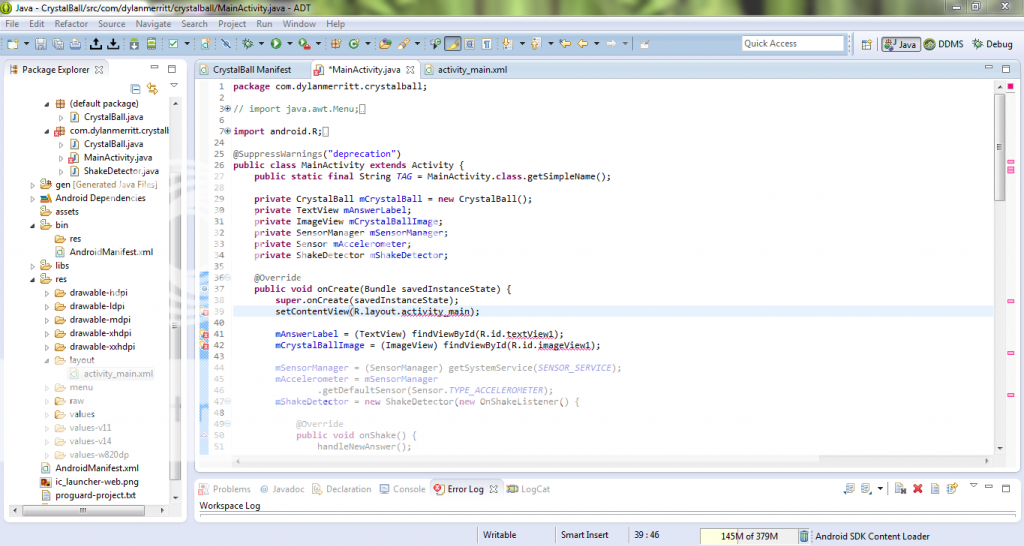
15,682 PointsChanged my package name and triggered these errors.
7 Answers

Nick Edwards
Courses Plus Student 15,766 PointsHmm, the XML appears to be fine. Another thing to try is changing the imports - try deleting the import android.R; line and replacing it with import yourpackagename.R; (in this case, com.dylanmerritt.crystalball.R) or use CTRL/CMD+SHIFT+O to manage imports.
Nick Edwards
Courses Plus Student 15,766 PointsProblems like this are often a result of the R.java file (which contains references to all of your resources/res files in the project) building incorrectly. It's possible that when you renamed the package, R.java failed to update properly. You can clean the file by using Project --> Clean at the top of the window.
If that doesn't work, can you post the code from your activity_main.xml file too?
Dylan Merritt
15,682 PointsCleaning the project did not seem to do anything. Here is my activity_main.xml
http://www.codesend.com/view/44ec296bac6ee692b7287f1b1ab9ffa7/
Dylan Merritt
15,682 PointsThank you so much! That did the trick. Now I'm having another issue. the Crystal Ball APK doesn't seem to be in my workspace anymore. I emailed it to a friend a few days ago, but now it isn't there. Any ideas?

Nick Edwards
Courses Plus Student 15,766 PointsNo problem, glad you got it working!
There're two ways to get the APK file:
Run/Emulate the application - this will automatically create a .apk file located in workspace/yourprojectname/bin/yourprojectname.apk. You can locate that in either Windows or Eclipse.
Export Android Application - this will build the .apk file without having to emulate the application. Right click on your project in Eclipse and select Android Tools --> Export Unsigned Application Package.
Dylan Merritt
15,682 PointsI tried to do the second option and got this "fatal Lint Warning." I really need to get better at debugging and troubleshooting. Practice makes perfect I guess.
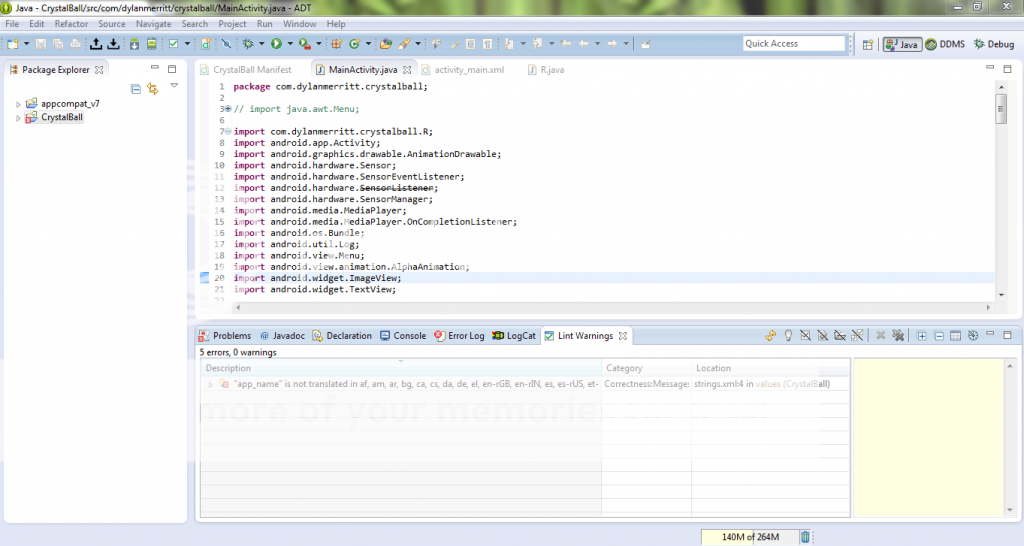
Here is where the error is coming from:
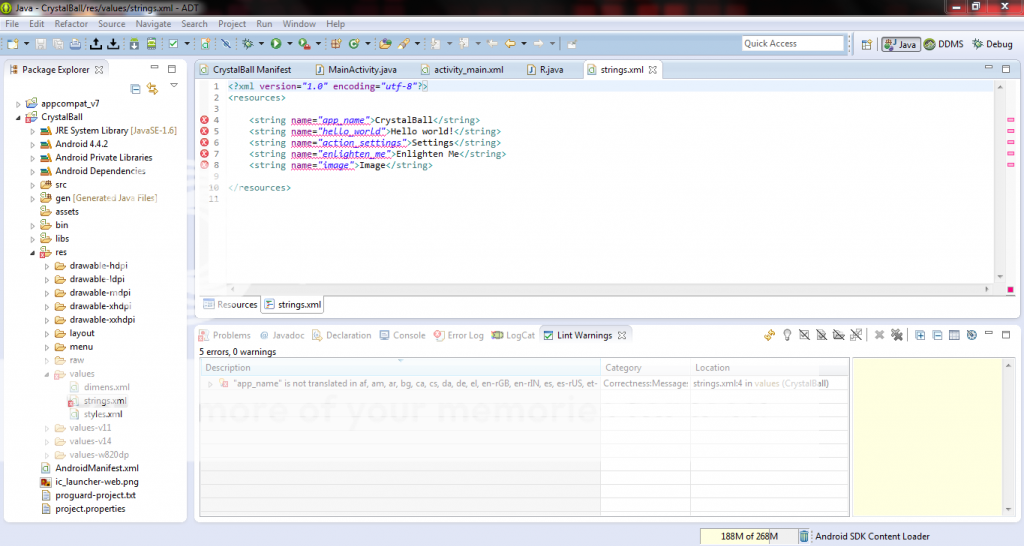
Nick Edwards
Courses Plus Student 15,766 PointsAh yeah, that happens to people sometimes - it's picked up the lack of localisations as an error (for some reason). You can prevent this by going to:
Window --> Preferences --> Android --> Lint Error Checking
If you find the MissingTranslation line you can set it to Warning rather than Error. Or, if you'd like, set it to ignore the issue completely, but personally I wouldn't do that myself.
Dylan Merritt
15,682 PointsGetting warmer... That fixed that, and now we've got three new ones. I'm not really sure that they matter because they're located in the appcompat folder, but I wanted to be sure.Here are the three new errors.
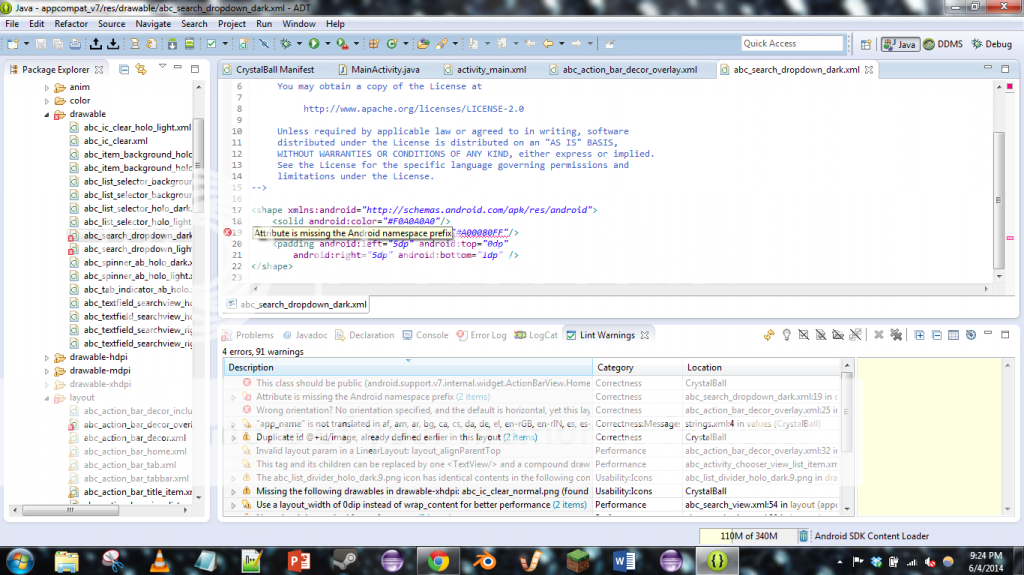
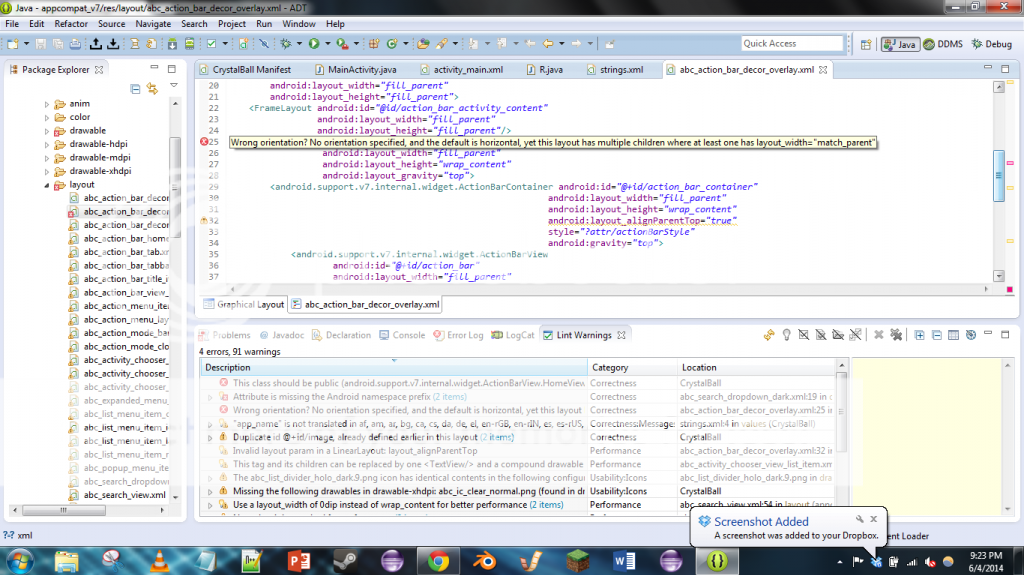
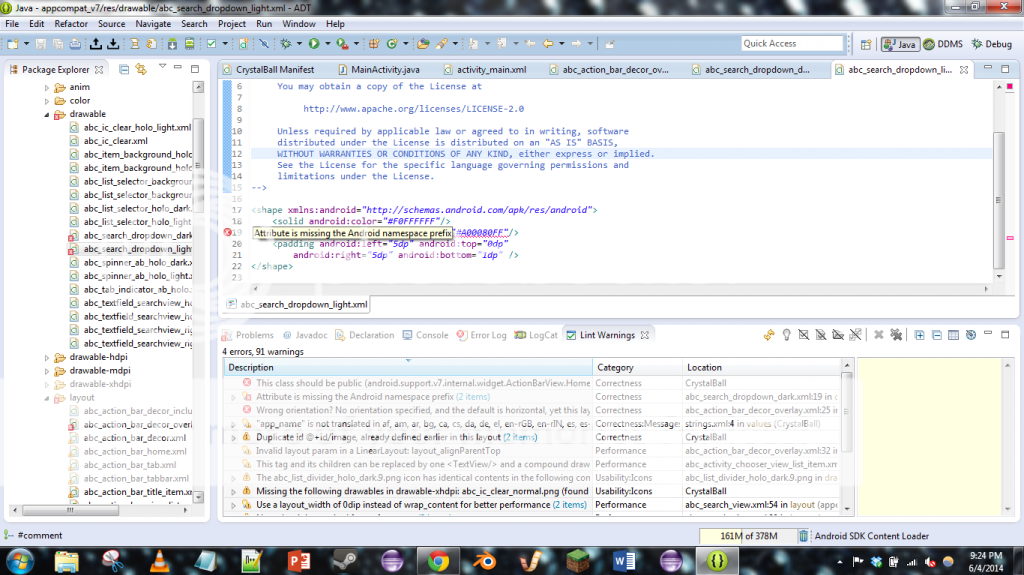
Sorry this is taking so long... Errors seem to multiply like rabbits in my Eclipse files.
Nick Edwards
Courses Plus Student 15,766 PointsOkay that IS pretty odd, I've never seen errors spring up from the appcompat library. My suggestion would be to start a new thread for it since I can't really figure out how to fix that.
I wouldn't worry about it too much for now if it's not preventing you from building your own application.
Dylan Merritt
15,682 PointsOkay, thank you so much for everything!
Dylan Merritt
15,682 PointsDylan Merritt
15,682 PointsLine 39: "activity_main cannot be resolved or is not a field." Line 41: "textView1 cannot be resolved or is not a field." Line 42: "imageView1 cannot be resolved or is not a field."
None of these errors existed before the rename. Can anyone help?