Welcome to the Treehouse Community
Want to collaborate on code errors? Have bugs you need feedback on? Looking for an extra set of eyes on your latest project? Get support with fellow developers, designers, and programmers of all backgrounds and skill levels here with the Treehouse Community! While you're at it, check out some resources Treehouse students have shared here.
Looking to learn something new?
Treehouse offers a seven day free trial for new students. Get access to thousands of hours of content and join thousands of Treehouse students and alumni in the community today.
Start your free trial

Ben Flannery
37 PointsCustom Segue Flicker
I am building an application using UISplitViewController as my root view controller (as prescribed by Apple). However, I needed a custom view for login / management to be displayed prior to the UISplitViewController, so I created a custom UIStoryboardSegue that calls some custom animations. I am attempting to recreate the push / pop segues through a modal segue, without actually pushing an popping view controllers. I've implemented everything correctly, however, at the end of my animation I have a flicker. Here is a gif of it:
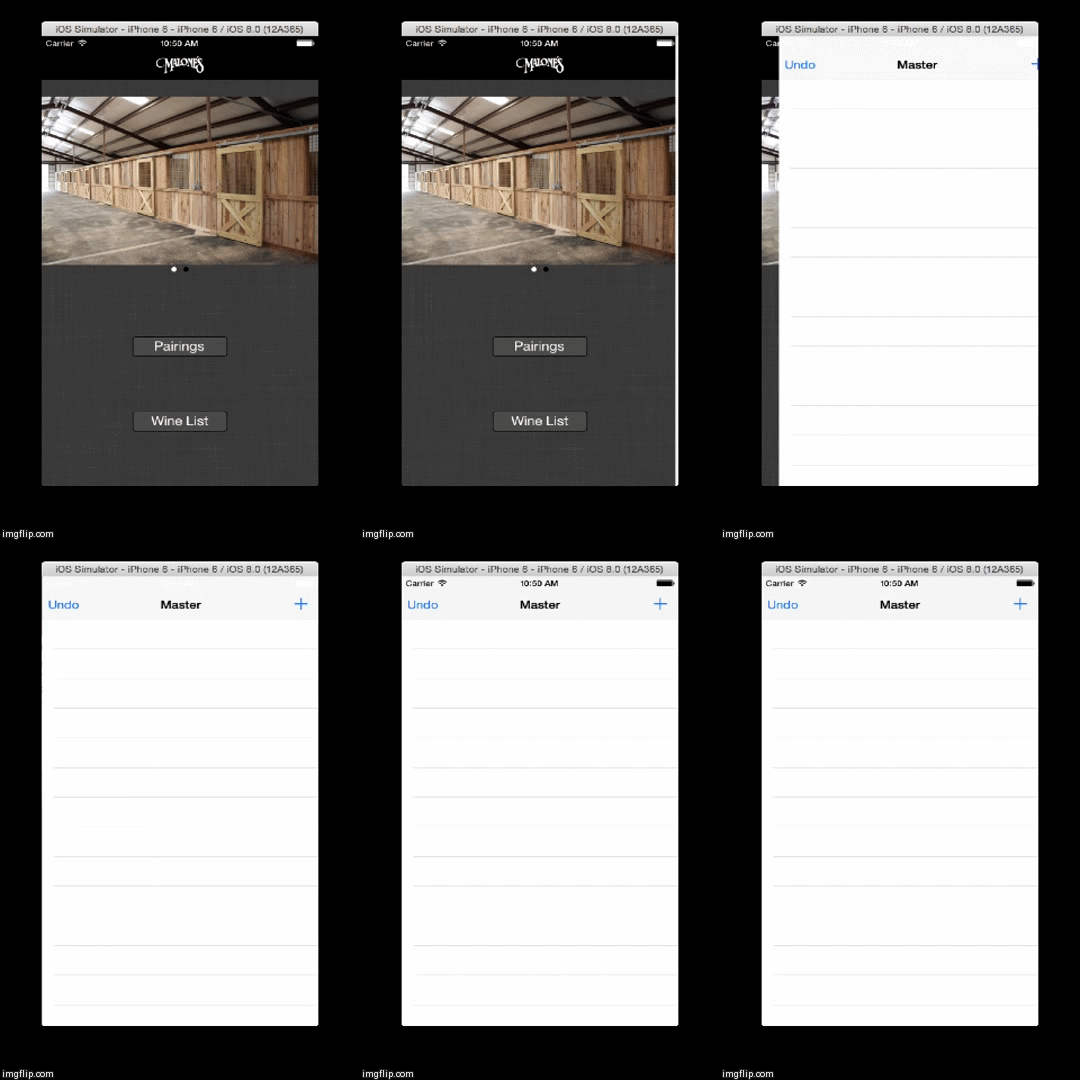
Here is my custom Segue's code:
- (void)perform {

    UIViewController *srcViewController = (UIViewController *) self.sourceViewController;
    UIViewController *destViewController = self.destinationViewController;

    UIView *prevView = srcViewController.view;

    UIView *destView = destViewController.view;

    UIWindow *window = [[[UIApplication sharedApplication] delegate] window];


    [window insertSubview:destView aboveSubview:prevView];

    [destView enterRight:0.1 then:^{
        [destView removeFromSuperview];
        [srcViewController.presentingViewController dismissViewControllerAnimated: NO completion:nil];

    }];
}
And here is my custom animation (Implemented as a category on UIView):
-(void)enterRight:(float)delay then:(void(^)(void))after
{
    CGPoint moveTo = self.center;
    CGPoint moveFrom = self.center;


    // Grab a point from off the screen
    CGFloat simpleOffscreen = [UIScreen mainScreen].bounds.size.width;


    // come from off the right side (+)
    moveFrom.x = moveFrom.x + simpleOffscreen;

    self.center = moveFrom;
    self.hidden = NO;

    [UIView animateWithDuration:0.5
                          delay:delay
         usingSpringWithDamping:1
          initialSpringVelocity:0.1
                        options:UIViewAnimationOptionCurveEaseIn
                     animations:^
     {
         self.center = moveTo;
     }
                     completion:^(BOOL finished)
     {
         if (after) after();
     }
     ];
}
As you can see in the Segue, I am animating the view into the current view controller, then without animation presenting the actual destination view controller. I think this is where the flicker is introduced, yet I am unsure about how to go about preventing this.
My Storyboard for this custom segue is
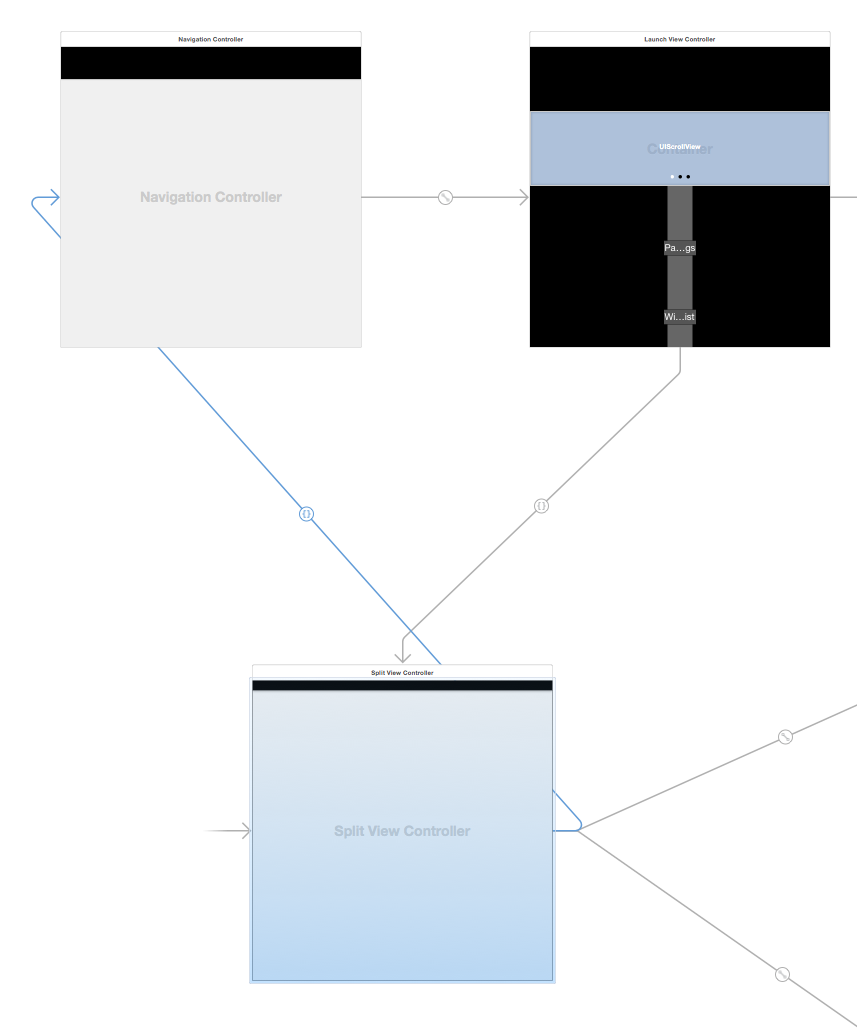
Anyone know how to implement this?