Welcome to the Treehouse Community
Want to collaborate on code errors? Have bugs you need feedback on? Looking for an extra set of eyes on your latest project? Get support with fellow developers, designers, and programmers of all backgrounds and skill levels here with the Treehouse Community! While you're at it, check out some resources Treehouse students have shared here.
Looking to learn something new?
Treehouse offers a seven day free trial for new students. Get access to thousands of hours of content and join thousands of Treehouse students and alumni in the community today.
Start your free trial

Nick Pettit
Treehouse TeacherForum Contest: Progress Bars
EDIT: This contest has ended! Congratulations to Jim Mayle for his winning entry! Our next contest is all about creating a CSS character.
Hi everybody,
It's time for a new Treehouse Forum contest! First, watch this video to learn more:
After you've watched the video, please read the details below carefully. I'm looking forward to your entries!
How to Enter: Create your progress bar entry as a "pen" on Codepen.io and then post the link to your pen as an answer to this post.
Due Date: All entries must be submitted by March 2nd at 11:45pm ET. Here's a timezone chart so you can see what time that is for your locale.
Prize: The entries will be judged by Treehouse teachers based on both design and code. One winner will receive a free month of Treehouse Gold on us! :) We'll announce the winner on March 3rd and reveal the next contest.
60 Answers

John Steer-Fowler
Courses Plus Student 11,734 PointsAwesome contest, been waiting for one like this :D
Going to start my entry!

Adhithya Kumar
4,972 PointsHTML5 is allowed?
Nick Pettit
Treehouse TeacherOf course, why wouldn't it be? Modern HTML is HTML5. :)

Sam May
8,363 PointsSo... Mine was inspired by the old platform game Metal Slug. Change the value of the progress bar to escape the carnage!
P.S Unfortunately, it only works in Chrome... sigh..

Oron Ben Zvi
14,041 PointsLol! awesome!

neilh
6,579 Pointsthats so cool!

Diego Lucero
10,588 PointsI like it! Do you mind if I tweak this one a little bit?

Sam May
8,363 PointsHey Diego - not sure if it's just me, but the animation doesn't run on that one? I'm going to have a re-tweak myself anyway. I came up with some fresh ideas overnight
Diego Lucero
10,588 PointsWell Gee. It works in Chrome. Thanks for the heads up Sam May .
I really need to work on my cross-browser support.
Sam May
8,363 PointsHey Diego -
I'm really hyped that my entry has inspired you and all, and i'm glad to see you're learning more about prefixes by playing with it, but you've pretty much hijacked my idea. No offence, and I really am flattered you like it, but it's hard for me to get excited about learning more and improving it when you've already beaten me to the punch on my own idea..
Just saying...
Diego Lucero
10,588 PointsI understand. I shouldn't have done that at all. It really was your idea, and taking your idea and running off with it was not within the scope of this forum contest that emphasized originality.
I'm sorry.
Please accept this post as an apology.
Also. with the help of Chelsey on the treehouse staff, I have removed the comments with the links included.
Sam May
8,363 PointsNo worries Diego, I appreciate your understanding - and I'm not trying to stem your learning or anything, I'm just really hyped to do this one by myself - why don't you try something similar? It could be in the same vein, like perhaps a sonic the hedgehog style bar? Any thing that involves a retro platform game would work! (Mario, Sonic, etc).

James Ingmire
11,901 PointsCan i ask if there is any progress bar tutorials on treehouse at the moment?
Nick Pettit
Treehouse TeacherWe don't have any tutorials about progress bars specifically, but you should be able to figure out how to make one by combining HTML and CSS lessons.

Walter Aucaylle
2,954 PointsAny one training or video in particular?
Diego Lucero
10,588 PointsWalter Aucaylle the best videos to watch would be two full modules in the CSS Foundations Deep Dive: 1. Transitions and Transforms 2. CSS Animations
There are no outright tutorials on making a progress bar, but all the tools that can be used are explained in those two full modules. It's about 1 hour 40 minutes of video, a little longer for the quizzes and knowledge tests (maybe 2 hours to 2 hours and 15 minutes).

Dave McFarland
Treehouse TeacherIn the first CSS animations video, Guil Hernandez creates a progress bar animation: http://teamtreehouse.com/library/css-foundations/css-animations/keyframe-rules-and-animation-properties-2

aviskase
6,715 PointsAs for games, Pacman can be progress bar too! It's my first own project =)
James Ingmire
11,901 PointsDoesn't seem to be working, tried it in chrome. Just this minute finished learning animations in CSS on treehouse so been looking at your code, can work it out; looks cool mate.
aviskase
6,715 PointsFixed — forgot about vendor prefixes.
James Ingmire
11,901 PointsNice, i like it.

Martha Garvey
1,865 PointsVery fun.

Véronique Bellamy
20,810 PointsI'm kinda curious, (a) can moderators participate and (b) can it be for a fundraising effort I am working on (in other words, to animate progress in getting the funds)?
Nick Pettit
Treehouse TeacherYes and yes! :)

codelikejesus
6,107 PointsDo Moderators work for TeamTreeHouse or are you just helpful in the Forums?

James Barnett
39,199 PointsTyre Pickett - Modertators are just Treehouse members that are helpful on the forum.

Trey Weier
1,698 PointsHere is my try of it Click Here.
James Ingmire
11,901 PointsI like it, well done.
Trey Weier
1,698 PointsThanks. I have been working with progress bars for a while now so it was easy to come up with that one.

Alan Black
Courses Plus Student 6,305 PointsDude you're not going to learn anything if you keep taking shortcuts, and using other people's work in these forum contests. It would be awesome to see you redo this, without copying from a tutorial so that you learn how to make something on your own, and make it unique. I understand wanting to just submit something to see if you can win, but this isn't the lottery where you can win by just buying a ticket. You won't win anything, and you certainly won't learn anything that way. Make it your own, instead of copying off of this http://cssdeck.com/labs/animated-progress-bar-2
Nick Pettit
Treehouse TeacherI would like to echo Robert's sentiments. Originality is a key factor for winning entries. While I understand that "original" is a relative term, obvious copies will not be considered.
If you'd like to submit another entry that represents your own design and coding, we're happy to consider it. These contests are designed to help everyone in the Treehouse community learn how to exercise their creative thinking skills.
Trey Weier
1,698 PointsThanks. I have been working with progress bars for a while now so it was easy to come up with that one.

Anthony Lockett
24,266 Pointsvery nice
Anthony Lockett
24,266 Pointsvery nice
Trey Weier
1,698 PointsThanks

Larry Cousino
23,127 PointsSorry the page isn't very elaborate, but I wanted to get this entry in. I hope you like my progress bar. This is my first contest and I would consider myself still a newbie. Good luck to everyone!

Benjamin Joyce
5,043 PointsHere is my entry! http://codepen.io/benjoyce/full/HkIoq

Adam Hill
7,492 PointsNot sure if I'll be able to enter this one, but would like to if I can make the time, are there are rules regarding cross browser compatibility (at work we still regularly need to support IE8).

Roberto Elero Junior
1,173 PointsI've just finished my entry! There it is: http://codepen.io/robertoej/full/JoCiL. First contest, take it easy! :) Good luck everyone!

James Nelson
23,956 PointsHey Roberto, nice entry but I noticed that you're progress bar loads past 100% ;)
Roberto Elero Junior
1,173 PointsWhat a shame. Thanks a lot for letting me know, James. I've fixed the bug. :)

Rainbow Walker
8,347 PointsHere is my entry: http://cdpn.io/cxjto

Alessandro Elkan
Courses Plus Student 7,447 Pointshttp://codepen.io/nousacademy/pen/ILxde
I'm a beginner!!
Larry Cousino
23,127 PointsI decided to do another entry as well. check it out. Came up with the idea on the way to work.
I look forward to any feedback. I am still a newbie and want to become a proficient developer.

Larry Cousino
23,127 PointsAlready seeing some issues, which I believe has to do with my use of absolute positioning and also center my div.
Diego Lucero
10,588 PointsI like this one a lot. Good job!

Nandini Goel
2,263 PointsHere are My Progress Bars: http://codepen.io/nandinigoel/pen/dqFLy Regards Nandini
codelikejesus
6,107 PointsThats Dope! for a second i was like when is it going to load had a slow moment :)
Diego Lucero
10,588 PointsI like the original ideas for these progress bars. The top loading bar is mesmerizing.
Larry Cousino
23,127 PointsUpdates made.
aviskase
6,715 PointsI like this contest! One more progress bar: thermometer. Used actual progress element.
Larry Cousino
23,127 PointsYou did a really good job and I like the idea with the thermometer. Excellent submission!
Diego Lucero
10,588 PointsI like this one also. Points for originality. :)

Diego Lucero
10,588 PointsI like the submissions so far.. I'm going to shoot one in as soon as I can get to my computer. Good luck everyone!

James Mayle
20,583 PointsI have the animation going in a direction I like. Need to add the progress element... (the hard part for me). http://codepen.io/ampedpixel/pen/xbcei I used this to generate a starting point. http://cssload.net/en/ and then hacked it a bit. Is this cheating?

Calvin Bramlett
13,748 PointsVery cool loading animation.
James Mayle
20,583 PointsThanks Calvin! I hope I can make it work... then it will be cool!

Sebastian Montz
642 PointsGreat! I love it.

Zoe Peng
10,809 PointsCute!!!
James Mayle
20,583 PointsCall me Hacky McHackerson. Code is not pretty. Added the progress element to display percentage loaded. Was hoping to have the throbbing frog phalanges stop at 100%. Couldn't make it happen. :( Love being part of this Treehouse community! There are some extremely bright and supportive people here. Awesome work everyone! http://codepen.io/ampedpixel/full/xbcei
Larry Cousino
23,127 PointsCreative, it lets you know that something is happening.

Davit Khaburdzania
7,293 Pointshere is my try Progress Bar
Diego Lucero
10,588 Pointsnice.
aviskase
6,715 PointsNice, but don't work in Firefox. But you can fix it: progress::-webkit-progress-value is the same as progress::-moz-progress-bar and progress::-webkit-progress-bar styles can be written simply in progress selector.

Davit Khaburdzania
7,293 Pointsthanks Yuliya Bagriy , I will add FireFox support.

Pedro Lucas Da Silva Cunha
5,276 PointsWell, Here's my shot at this. DBZ fans will enjoy this.
Diego Lucero
10,588 PointsHahaha I love this.

Guled A.
10,605 PointsGood memories.

Lavinia Manzanarez
205 PointsYou were right, we loved it ;)

Christian Nkoy
4,308 PointsHere's my entry: http://codepen.io/anon/pen/BELAx.

Enara L. Otaegi
13,107 PointsHere's my progress bar Good Luck everyone :)
Larry Cousino
23,127 PointsEnara, both of your bar were nice. I kind of prefer the top one though, if asked to pick.

James Barnett
39,199 PointsI wrote this one a while back

Gary Mann
8,639 PointsNice. I did the obvious quick test; added boxes to see if it worked perfectly. And it did.

josblu
5,800 PointsHere's my pure HTML5 and CSS3 approach.
Sam May
8,363 PointsWell, I updated my entry since the first iteration I knocked out very quickly at the start of the challenge. I decided to learn jQuery, seeing as I couldn't target the 'value' attribute of the progress element (Is this possible yet?). In using the progress element, I did sacrifice firefox compatibility, however I'm really happy with the result in chrome!
Here you go - escape the carnage of the loading bar!
Diego Lucero
10,588 PointsNice!!
Roberto Elero Junior
1,173 PointsGreat job, Sam! It's really amazing!

Carsten Pleiser
8,386 PointsNice work everyone.

Ben Rochon
18,996 PointsHere's mine. This is my first attempt at writing jQuery plugins. It basically adds progress bars below buttons. Just adding these should make a totally working "progress button":
<button class="miniProgress" type="button">Another Button</button>
Diego Lucero
10,588 PointsDude that is awesome
aviskase
6,715 PointsVery good! But you have some mistakes with -moz- (check my comment to Davit Khaburdzania).
Ben Rochon
18,996 PointsThanks, I will correct that.

Ben Anderson
5,575 PointsMine entry dost abide here - animation only works in webkit, though :\
James Barnett
39,199 Points@Ben Anderson -
Why not? Seems like radial gradients & keyframe animations are supported in other browsers.
http://css3clickchart.com/#radial-gradient http://css3clickchart.com/#keyframe-animations

Ben Anderson
5,575 PointsThanks for the tip, James - should be rockin now!
James Barnett
39,199 PointsIn Firefox 27 & IE 11 the animation works, but it's glitchy.
James Barnett
39,199 PointsBen Anderson - Seems like your pen got noticed over on codepen, it's currently featured in the picks section of the codepen.io.
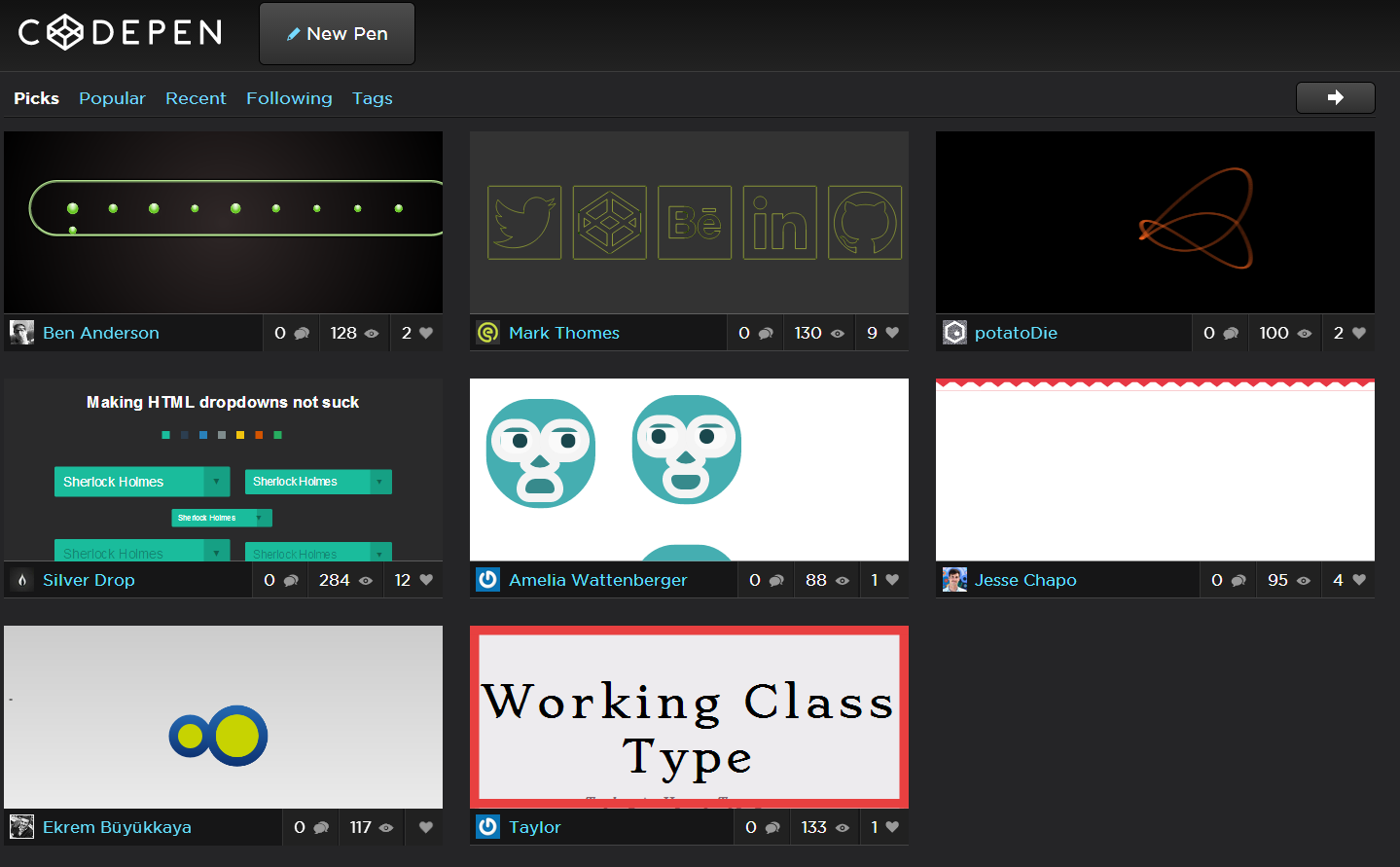
Ben Anderson
5,575 PointsThat is so cool! Yeah that was my first go. Can be viewed here. Thanks for finding this, James! I guess either version can count as a submission from me :)
Carsten Pleiser
8,386 PointsI've also created a very basic one in CSS3/HTML only. http://cdpn.io/Dpldf
Larry Cousino
23,127 PointsVery pleasant design. Not overwhelming to the eyes.
Carsten Pleiser
8,386 PointsThanks Lawrence

Kennard McGill
Full Stack JavaScript Techdegree Graduate 45,774 PointsHere is my entry http://cdpn.io/iDsAt
This was a very rewarding challenge. I'd like to try and submit another one just using the progress element. I don't think there's a limit to how many you can submit.
Larry Cousino
23,127 PointsSweet submission. I really like how the loading changes to loaded when the progress bar completes. Of course the Tree House logo is a nice touch as well. I learned some new things reading your code. Thanks!
Kennard McGill
Full Stack JavaScript Techdegree Graduate 45,774 PointsAll of the submissions look great. This rocks!
Roberto Elero Junior
1,173 PointsI just got another idea and then I decided to shot one more. There it goes: http://codepen.io/robertoej/full/tgqzB.
Pedro Lucas Da Silva Cunha
5,276 PointsWow, nice. Pretty cool.
Roberto Elero Junior
1,173 PointsThanks, Pedro!
Diego Lucero
10,588 PointsVery Cool. I love it.
Roberto Elero Junior
1,173 PointsThanks, Diego!

Chris Garcia
2,562 PointsThis is so freaking cool

Roberto Elero Junior
1,173 PointsIngenious, James! The only this is you are using an initial background for the div cherry (#b43210), and when we load the page we can see it (the div starts in the left edge of the screen). I would suggest you to use 'transparent' instead, once after an instant the background image is loaded and it doesn't show up anymore. Congratulations for the entry!
Diego Lucero
10,588 PointsGreat idea!

James Anwyl
Full Stack JavaScript Techdegree Graduate 49,960 PointsThanks for the feedback guys. Roberto, thanks a lot for the tip was trying to work out how to fix that! :)
Roberto Elero Junior
1,173 PointsGreat entries!

Christina Mavridou
6,936 PointsHere's my entry: http://codepen.io/Kristina_doukou/pen/FobJg good luck to all
Diego Lucero
10,588 PointsWow. that was beautiful.
Christina Mavridou
6,936 PointsThank you Diego!!!!!
Christina Mavridou
6,936 PointsSorry this is my entry....http://codepen.io/Kristina_doukou/pen/qHshj (its the same with the http://codepen.io/Kristina_doukou/pen/FobJg )

Yane Frenski
1,976 PointsHi there!
Just saw this contest and decided to create something funny for it. Here is my entry: http://codepen.io/frenski/full/BaLtx
James Anwyl
Full Stack JavaScript Techdegree Graduate 49,960 PointsGreat job man looks awesome :)
Roberto Elero Junior
1,173 PointsWOW!

sylvie lardeux
12,969 PointsI had fun playing with CSS, here is mine: http://codepen.io/sylvie/full/ELHFa
Adhithya Kumar
4,972 PointsSome killer entries I have seen! Well this is my take at it!
James Anwyl
Full Stack JavaScript Techdegree Graduate 49,960 PointsLooks great, I really like the gradients you've used on the circles, gives them a sort of 3D effect. Only thing I would do differently is get rid of the 'starting', 'loading', 'finished' labels, I think the bar on its own is enough of an indicator of where its up to... Just a thought.
Nicely done anyway :)
Adhithya Kumar
4,972 PointsThanks James. I agree on your thought about the status indicator. Added it for extra effects :)

Zoe Peng
10,809 PointsHere's mine: http://codepen.io/iZOE/pen/klufE
It's build on erb and scss/compass.
Codes are hosted on https://github.com/iZOE/zipper
Hope you like it :)
Pedro Lucas Da Silva Cunha
5,276 PointsWow that's so neat and simple. Really enjoyed it.
James Anwyl
Full Stack JavaScript Techdegree Graduate 49,960 PointsVery impressive, awesome job!

Kennard McGill
Full Stack JavaScript Techdegree Graduate 45,774 PointsThat is fantastic!
Adhithya Kumar
4,972 PointsThis is the best entry so far! Amazing work!
Zoe Peng
10,809 PointsTHANKS for your like it. :P
Zoe Peng
10,809 Pointsthank you for liking mine
aviskase
6,715 PointsThis one was my first idea, but I had no idea how to create bucket out of progress element. For now works only in webkit, can't find alternative to *.webkitAnimationPlayState.
Kennard McGill
Full Stack JavaScript Techdegree Graduate 45,774 PointsStill pretty sweet!
Larry Cousino
23,127 PointsThough I've only been with Tree House a month, this contest has been a very positive experience. The creativity that has been displayed here is incredible. Everyone from newbies like myself to those of you more experienced, should be proud of your entries! Because of my inexperience I almost didn't submit an entry, but am glad I did. By following the contest throughout the week and reviewing your entries, I have learned a lot and thank all of you!
Larry
Kennard McGill
Full Stack JavaScript Techdegree Graduate 45,774 PointsMy second entry this time using the progress bar element.

Danielle Hill
26,062 PointsProgress bar made in HTML and CSS http://cdpn.io/ajkoL

Richard Blige
11,428 PointsHere is my attempt at this challenge: http://codepen.io/anon/pen/gLtwx

Bryson Goad
7,510 PointsHere is my entry. (http://codepen.io/bwgoad/full/ACGgb) It only works in webkit browsers, due to the ::before and ::after pseudo-elements on the progress-bar and progress-value pseudo-elements only working in webkit.

madhu
10,223 PointsHi, Here's my entry using the progress bar element. http://codepen.io/msmurthy/pen/jdtIK I am just finishing up the lessons on CSS transitions and animations. This contest came at the right time for me :) Sorry, It works only in chrome. Had a lot of issues when I tried to make it work in firefox and opera. Still trying to wrap my head around all the code involved with achieving cross bowser compatibility.
Nick Pettit
Treehouse TeacherHi everyone,
Well, as usual, you all did an amazing job! We're blown away by the number of high quality entries these contests have been receiving lately. It's so fun to go through each of your entries and see all the cool things you've put together. You should feel good about the experience you've gained by getting more practice with design and coding.
This week Jim Mayle has won. Congrats, Jim!
His Treehouse loading animation is interesting for both its design and its code. It uses the HTML5 progress element, it's compact enough that it can work in a large variety of contexts without need for breakpoints, and it also makes clever use of brand imagery to create a subtle animation. I've been looking at the Treehouse logo for a long time, and I don't think any of us thought to use it in this way; pretty clever. Jim also used some code as a starting point, but he modified it for his own purposes and created something original out of it. This is totally OK as long as you don't make an exact clone of something else. "Hacking" like this is part of making websites and Jim saved himself a lot of time by being resourceful, then applying his own originality on top.
James Mayle
20,583 PointsThank you everyone!!!! Feeling blessed to be a part of this creative community. :)
Roberto Elero Junior
1,173 PointsGreat job, Jim! Congratulations!
Adhithya Kumar
4,972 PointsCongrats Jim Mayle ! Good job!
Carsten Pleiser
8,386 PointsCongrats Jim Mayle This is amazing work....
Larry Cousino
23,127 PointsCongratulations Jim Mayle your entry was a really good piece!
Christina Mavridou
6,936 PointsCongrats Jim...excellent entry!!!
Christian Nkoy
4,308 PointsCongrats Jim Mayle!
Pedro Lucas Da Silva Cunha
5,276 PointsCongrats dude. Looks sweet. Glad to be a part of this community that has so much talent.
Enara L. Otaegi
13,107 PointsThat was really good, Jim Mayle! Congratulations!