Welcome to the Treehouse Community
Want to collaborate on code errors? Have bugs you need feedback on? Looking for an extra set of eyes on your latest project? Get support with fellow developers, designers, and programmers of all backgrounds and skill levels here with the Treehouse Community! While you're at it, check out some resources Treehouse students have shared here.
Looking to learn something new?
Treehouse offers a seven day free trial for new students. Get access to thousands of hours of content and join thousands of Treehouse students and alumni in the community today.
Start your free trial

Stuart McPherson
15,939 PointsHow to apply border to a selected checkbox and radio button. Change dropdown font colour and dropdown arrow
I would like to make the form checkbox and radio buttons have a small border applied when selected. Also the tick and circle inside those elements being the same colour as the border.
Also how would you change the arrow in the dropdown and the colour of text in the dropdown?
At the minute I'm styling the form for mobile first
<!doctype html>
<html lang="en">
<head>
  <meta charset="utf-8">
  <title>Form</title>
  <meta name="viewport" content="width=device-width, initial-scale=1.0">
  <link rel="stylesheet" href="css/styles.css">
  <link href="https://fonts.googleapis.com/css?family=Muli%7CRoboto:400,300,500,700,900" rel="stylesheet"></head>
  <body>

    <header class="above-form">
      <div class="banner">
        <h1>THE CODE REVIEW</h1>
      </div>
      <div class="head-page">
        <div class="border">
          <h2>Signup for our newsletter</h2>
          <p>Get the latest news on how your code is doing right in your inbox</p>
        </div>
      </div>

    </header>

    <div class="main">
      <h2>Contact Information</h2>

      <form action='index.html' method='post'>

        <fieldset class="details">
          <label for="name">Full Name</label>
          <input type="text" id="name" name="username" placeholder="Required">
          <label for="email">Email Address</label>
          <input type="email" id="mail" name="email" placeholder="Required">
          <label for="number">Phone Number</label>
          <input type="text" id="number" name="number" placeholder="Required">
          <label for="street">Street Address</label>
          <input type="text" id="street" name="street">
          <label for="city">City</label>
          <input type="text" id="city" name="city">
          <label for="county">County</label>
          <select id="county" name="county" placeholder="Choose County">
            <option value="" disabled selected hidden>Choose County</option>
            <option value="Avon">Avon</option>
            <option value="Bedfordshire">Bedfordshire</option>
            <option value="Berkshire">Berkshire</option>
            <option value="City of Bristol">City of Bristol</option>
            <option value="Buckinghamshire">Buckinghamshire</option>
            <option value="Cambridgeshire">Cambridgeshire</option>
            <option value="Cheshire">Cheshire</option>
            <option value="Cleveland">Cleveland</option>
            <option value="Cornwall">Cornwall</option>
            <option value="City of London">City of London</option>
            <option value="Cumberland">Cumberland</option>
            <option value="Cumbria">Cumbria</option>
            <option value="Derbyshire">Derbyshire</option>
            <option value="Devon">Devon</option>
            <option value="Durham">Durham</option>
            <option value="East Suffolk">East Suffolk</option>
            <option value="East Sussex">East Sussex</option>
            <option value="Essex">Dorset</option>
            <option value="Gloucestershire">Gloucestershire</option>
            <option value="Greater London">Greater London</option>
            <option value="Greater Manchester">Greater Manchester</option>
            <option value="Hampshire">Hampshire</option>
            <option value="Hereford and Worcester">Hereford and Worcester</option>
            <option value="Herefordshire">Herefordshire</option>
            <option value="Hertfordshire">Hertfordshire</option>
            <option value="Humberside">Humberside</option>
            <option value="Huntingdon and Peterborough">Huntingdon and Peterborough</option>
            <option value="Isle of Ely">Isle of Ely</option>
            <option value="Isle of Wight">Isle of Wight</option>
            <option value="Kent">Kent</option>
            <option value="Lancashire">Lancashire</option>
            <option value="Leicestershire">Leicestershire</option>
            <option value="Lincolnshire">Lincolnshire</option>
            <option value="London">London</option>
            <option value="Merseyside">Merseyside</option>
            <option value="Middlesex">Middlesex</option>
            <option value="Norfolk">Norfolk</option>
            <option value="Northamptonshire">Northamptonshire</option>
            <option value="Northumberland">Northumberland</option>
            <option value="Yorkshire">Yorkshire</option>
            <option value="Nottinghamshire">Nottinghamshire</option>
            <option value="Oxfordshire">Oxfordshire</option>
            <option value="Rutland">Rutland</option>
            <option value="Shropshire">Shropshire</option>
            <option value="Somerset">Somerset</option>
            <option value="Staffordshire">Staffordshire</option>
            <option value="Suffolk">Suffolk</option>
            <option value="Surrey">Surrey</option>
            <option value="Sussex">Sussex</option>
            <option value="Tyne and Wear">Suffolk</option>
            <option value="Warwickshire">Suffolk</option>
            <option value="Westmorland">Westmorland</option>
            <option value="Wiltshire">Wiltshire</option>
            <option value="Worcestershire">Worcestershire</option>
            <option value="Yorkshire">Yorkshire</option>
          </select>
          <label for="post-code">Post Code</label>
          <input type="text" id="post-code" name="post-code">
        </fieldset>

        <fieldset class="newsletter">
          <h2>Newsletter</h2>
          <p>Select the newsletters you would like to recieve</p>

          <input type="checkbox" id="html" value="html" name="html">
          <label for"html" class="checkbox">HTML News</label><br>

          <input type="checkbox" id="css" value="css" name="css">
          <label for"css" class="checkbox">CSS News</label><br>
          <input type="checkbox" id="javascript" value="javascript" name="javascript">
          <label for"javascript" class="checkbox">Javascript News</label>

          <p>Newsletter format</p>

          <input type='radio' id='html' value='html' name='format'>
          <label for='html' class='radio'>HTML</label><br>
          <input type='radio' id='plain' value='plain' name='format'>
          <label for='plain' class='radio'>Plain text</label>

          <label for="comments">Other topics you'd like to hear about</label>
          <textarea id="comments" name="comments"></textarea>

          <button type='submit'>Sign Up</button>
        </fieldset>
      </form>
    </div>

    <footer>

    </footer>

  </body>
</html>
body {
  margin: 0;
}

header {
  width: 100%;
}

.above-form {
  text-align: center;
  width: 100%;
}

.banner {
  background-color: #3b444c;
  width: 100%;
  padding-top: 10px;
  padding-bottom: 10px;
  margin-bottom: 10px;
}

.head-page {
  width: 90%;
  margin-left: 5%;
  margin-right: 5%;
  border-bottom: 2px solid #3b444c;
}

.border {
  width: 100%;
  border-bottom: 4px solid #3b444c;
  margin-bottom: 2px;
}

h1, h2, h3, p {
  padding: 0;
  margin: 0;
}

h1 {
  color: #ffffff;
}

h2 {
  color: #3b444c;
}

p {
  color: #bbc3cc;
  margin-top: 20px;
  margin-bottom: 20px;
  font-size: 1.2em;
}

.main {
  width: 90%;
  margin-top: 20px;
  margin-left: 5%;
  margin-right: 5%;
}

fieldset {
  border: none;
  margin: 0;
  padding: 0;
}

.details {
  border-bottom: 2px solid #3b444c;
  width: 100%;
  padding-bottom: 20px;
}

label {
  display: block;
  margin-top: 10px;
  margin-bottom: 10px;
  color: #939393;
}

input, select, textarea {
  width: 100%;
  text-align: right;
  padding-right: 5px;
  padding-top: 10px;
  padding-bottom: 10px;
  background-color: #e4e4e4;
  border: none;
  font-style: italic;
  border-radius: 4%;
  border: 2px solid #e4e4e4;
}

textarea {
  min-height: 100px;
  padding: 0;
  border: none;
}

input:hover, select:hover {
  border: 2px solid #2c4358;
}

#post-code {
  width: 40%;
}

.newsletter {
  margin-top: 20px;
}

input[type="checkbox"], input[type="radio"] {
  width: 10%;
  text-align: left;
  padding: 0;
  margin: 0;
  margin-left: -3%;
}

input[type="checkbox"]:checked {
  border: 2px solid #2c4358;
}

.checkbox, .radio {
  display: inline;
}

button[type="submit"] {
  margin-top: 20px;
  margin-bottom: 20px;
  background: #0dc69d;
  width: 100%;
  border-radius: 5px;
  color: #fff;
  font-weight: bold;
  border: none;
  cursor: pointer;
  padding: 20px;
  font-size: 18px;
  display: block;
  outline: none;
  transition: background-color .2s, transform .2s;
}
2 Answers

Poul Larsen
5,902 PointsHere is links to some codepen checkbox
http://www.hongkiat.com/blog/css3-checkbox-radio/
http://codepen.io/bbodine1/pen/novBm
http://codepen.io/Sambego/pen/zDLxe
http://codepen.io/CreativeJuiz/pen/BiHzp
http://codepen.io/dylanraga/pen/Qwqbab
http://codepen.io/elmahdim/pen/JFejy
Poul Larsen
5,902 PointsiCheck - a jQuery and Zepto plugin
I don't think it's getting better than this -> http://icheck.fronteed.com/>
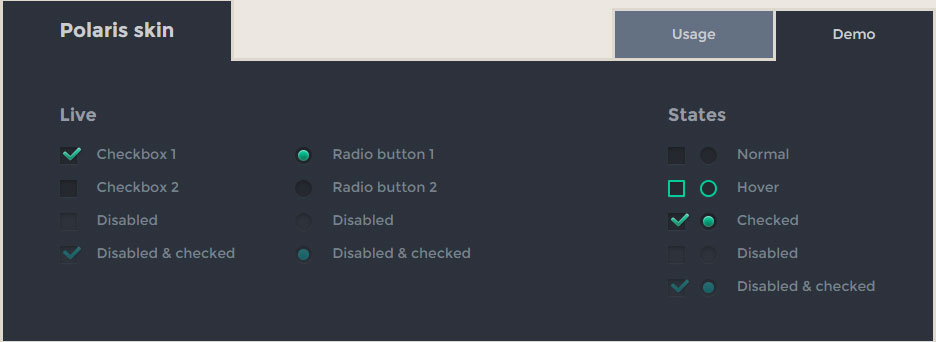
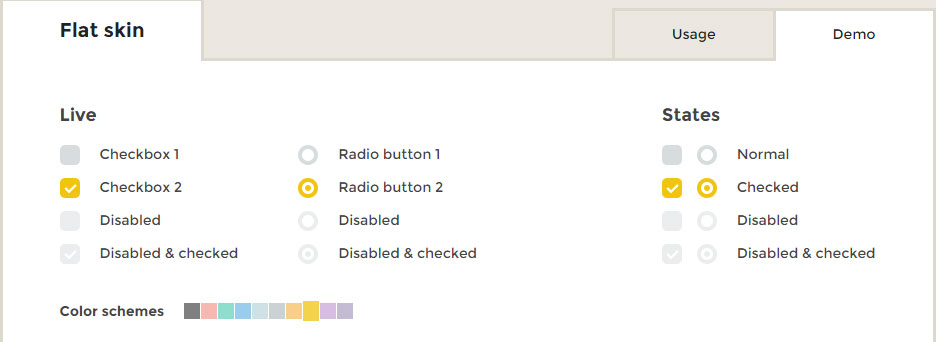
iCheck it's a plugin for jQuery (javascript) it will give you some amazing theme color for your radio and check boxes
I added some screen dump from the website i think it's looks cool. I don't own any of these.
Futurico skin

Polaris skin
Flat skin
Square skin

I don't think it's getting better than this -> http://icheck.fronteed.com/>
Konrad Pilch
2,435 PointsKonrad Pilch
2,435 PointsNice.