Welcome to the Treehouse Community
Want to collaborate on code errors? Have bugs you need feedback on? Looking for an extra set of eyes on your latest project? Get support with fellow developers, designers, and programmers of all backgrounds and skill levels here with the Treehouse Community! While you're at it, check out some resources Treehouse students have shared here.
Looking to learn something new?
Treehouse offers a seven day free trial for new students. Get access to thousands of hours of content and join thousands of Treehouse students and alumni in the community today.
Start your free trial

Eric De Wildt
Courses Plus Student 13,077 PointsImplementing project library
I found this project library on Github and I don't know how to go about actually using it. Could some one with experience please help me understand how to use it?
1 Answer

Gunjeet Hattar
14,483 PointsJust got it working. This is what you need to do
1) Download the API to your computer
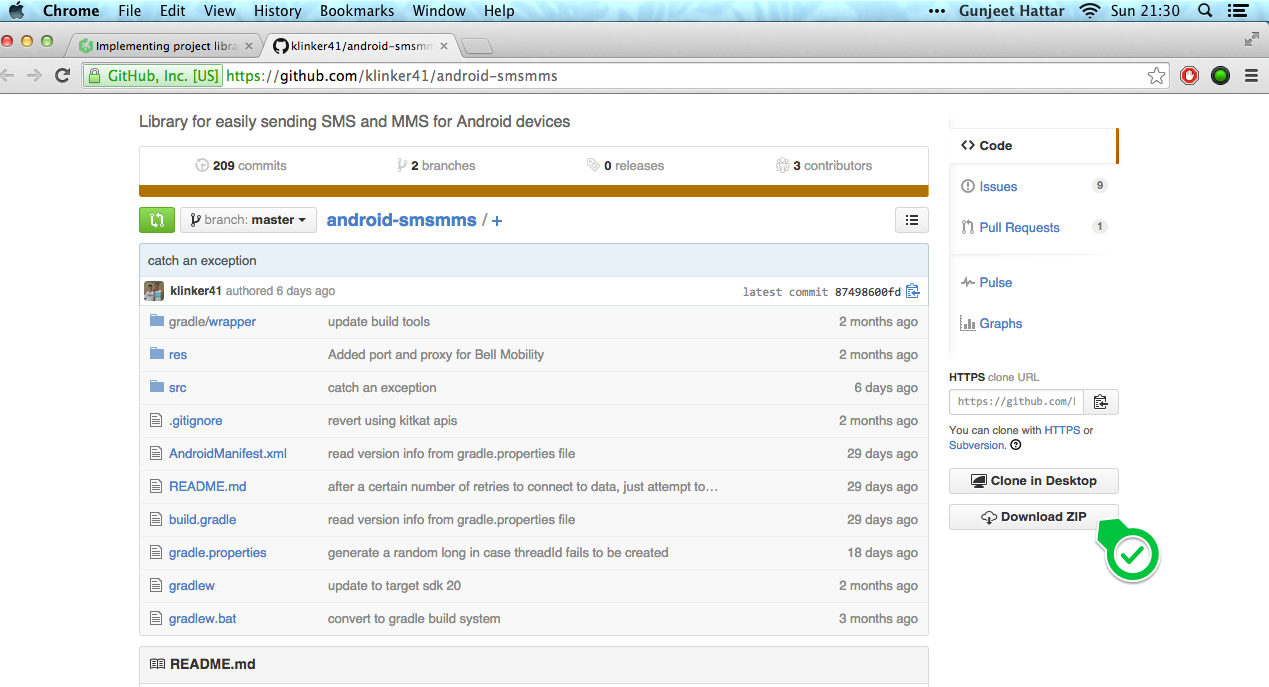
2) Open Android Studio. Open the project where you want to use this API library
In my case I've opened the fun facts project
3) Click on File -> New Module -> from the list select Import Existing Project -> Click Next
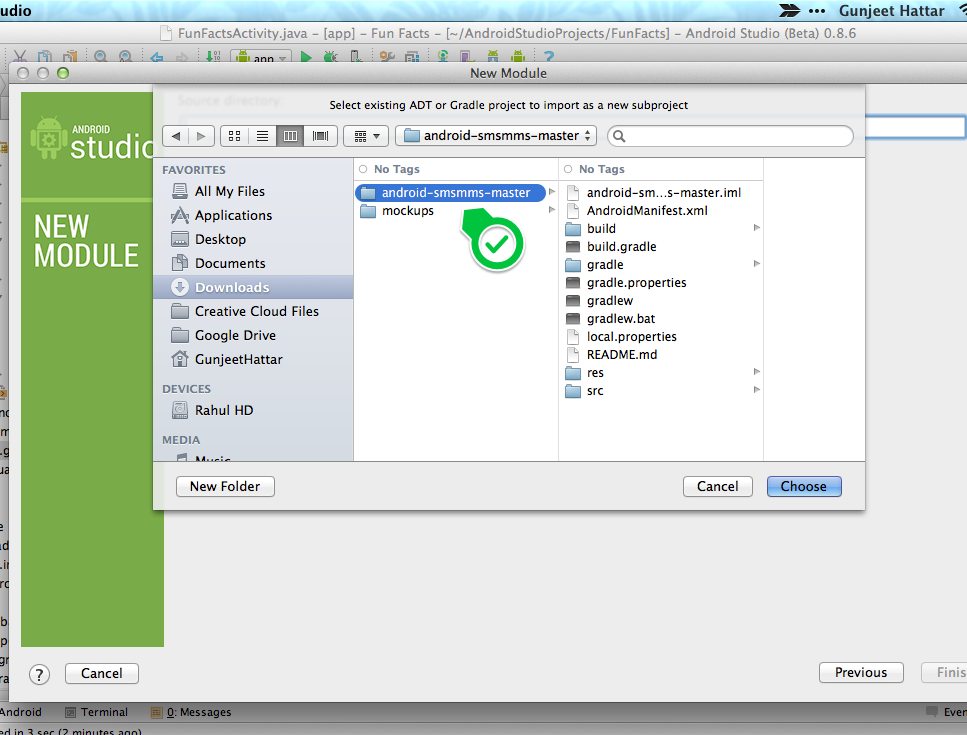
4) Browse to the folder android-smsmms-master and click Choose ..... Finally click Finish
5) The API will be added to in your current project and the gradle will update
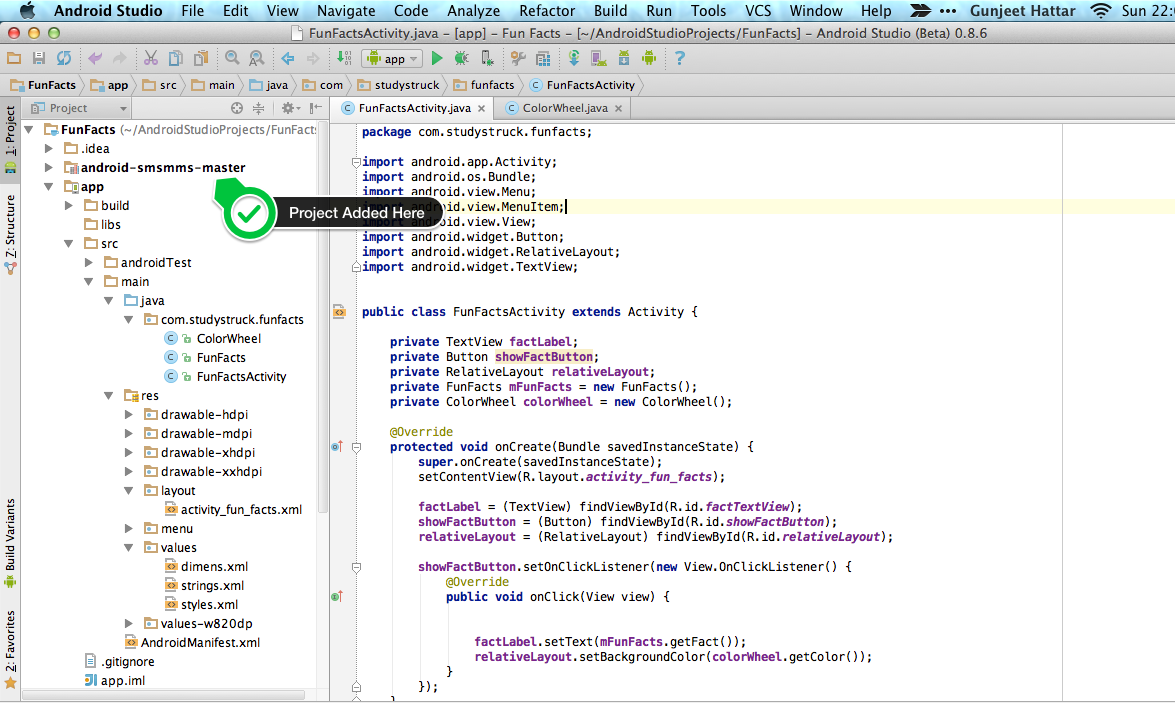
6) Once done go to File -> Project Structure
In the project structure window under **Modules¨¨ in the left and select the current project not the API project you imported
7) Click the + icon below
8) Choose Module Dependancy
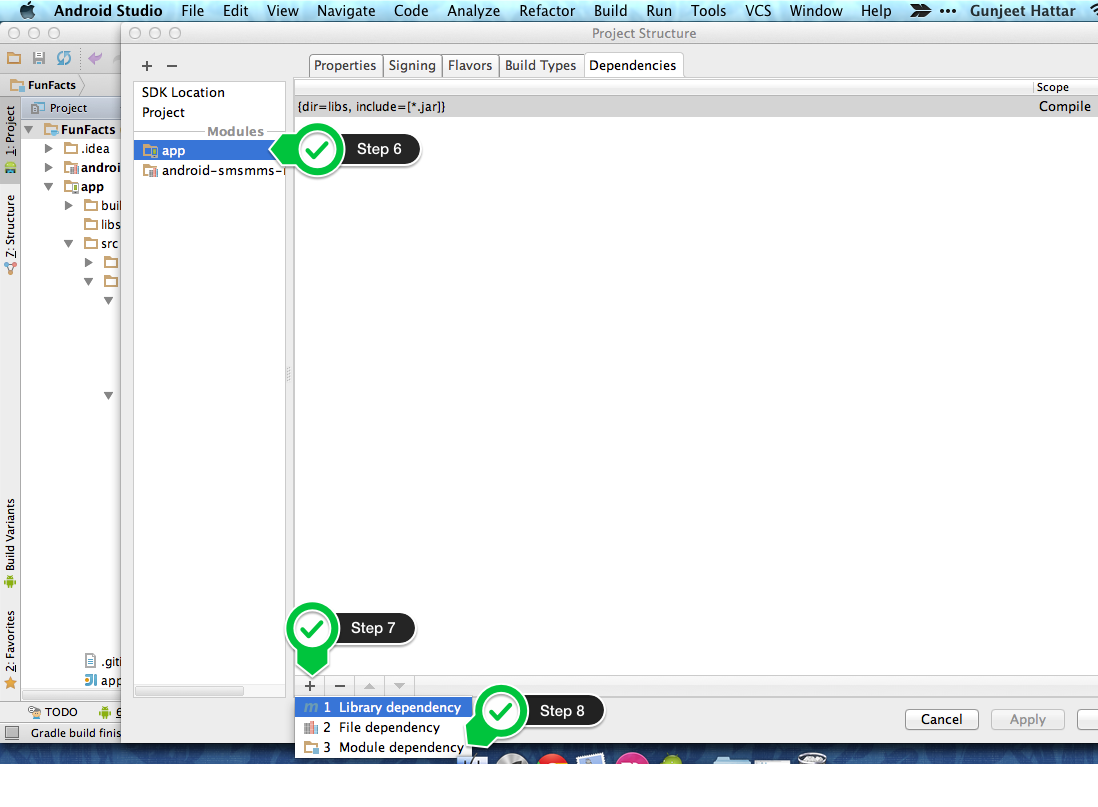
9) In the module dependancy window the API that your uploaded i.e. android-smsmms-master will be listed. Select that and click Ok
10) Now your API will be listed under dependancies. Click Apply and then click Ok
11) Gradle will sync and you are all set to use it.
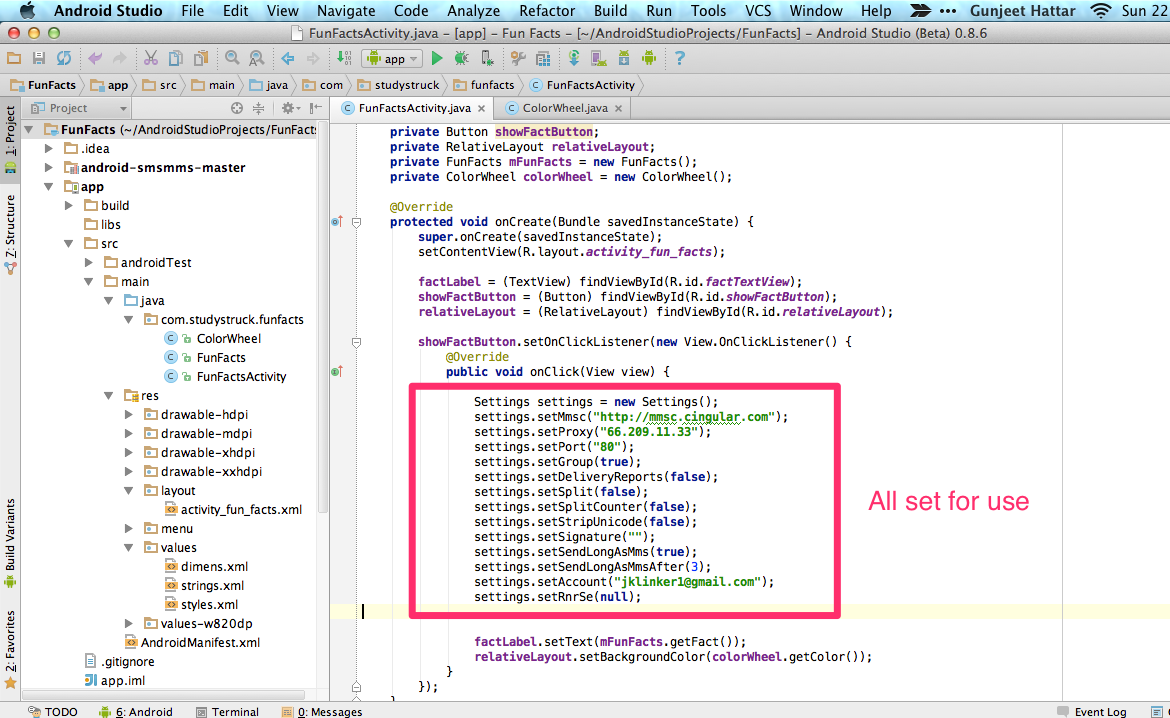
12) For usage check notes on GitHub.
Hope this helps. Ask again if you need help
Eric De Wildt
Courses Plus Student 13,077 PointsEric De Wildt
Courses Plus Student 13,077 PointsThanks a lot Gunjeet but I think a phrased my question wrong. I already did the steps you have suggested, the problem is actually using the library for it's intended purpose. It's for sending sms and MMS but I don't actually understand how to use it. I'm experimenting and debugging things right now but still a little confused.
Gunjeet Hattar
14,483 PointsGunjeet Hattar
14,483 PointsOh thats alright. In fact I did try out the API functionality as well and integrated that with my FunFacts App. So each time a user finds a fact interesting he can send it as an SMS using Google voice (running over a proxy) . Given I'm in France at the moment and Google voice isn't currently available here, I couldn't really try most of the features
Traveling at the moment but will send you the code with comments, which could help you get a hold on this API to some extent
Eric De Wildt
Courses Plus Student 13,077 PointsEric De Wildt
Courses Plus Student 13,077 PointsThat would be amazing! I deeply appreciate the time you are taking to do this for me. My email is DeWildte@gmail.com if you need it.